
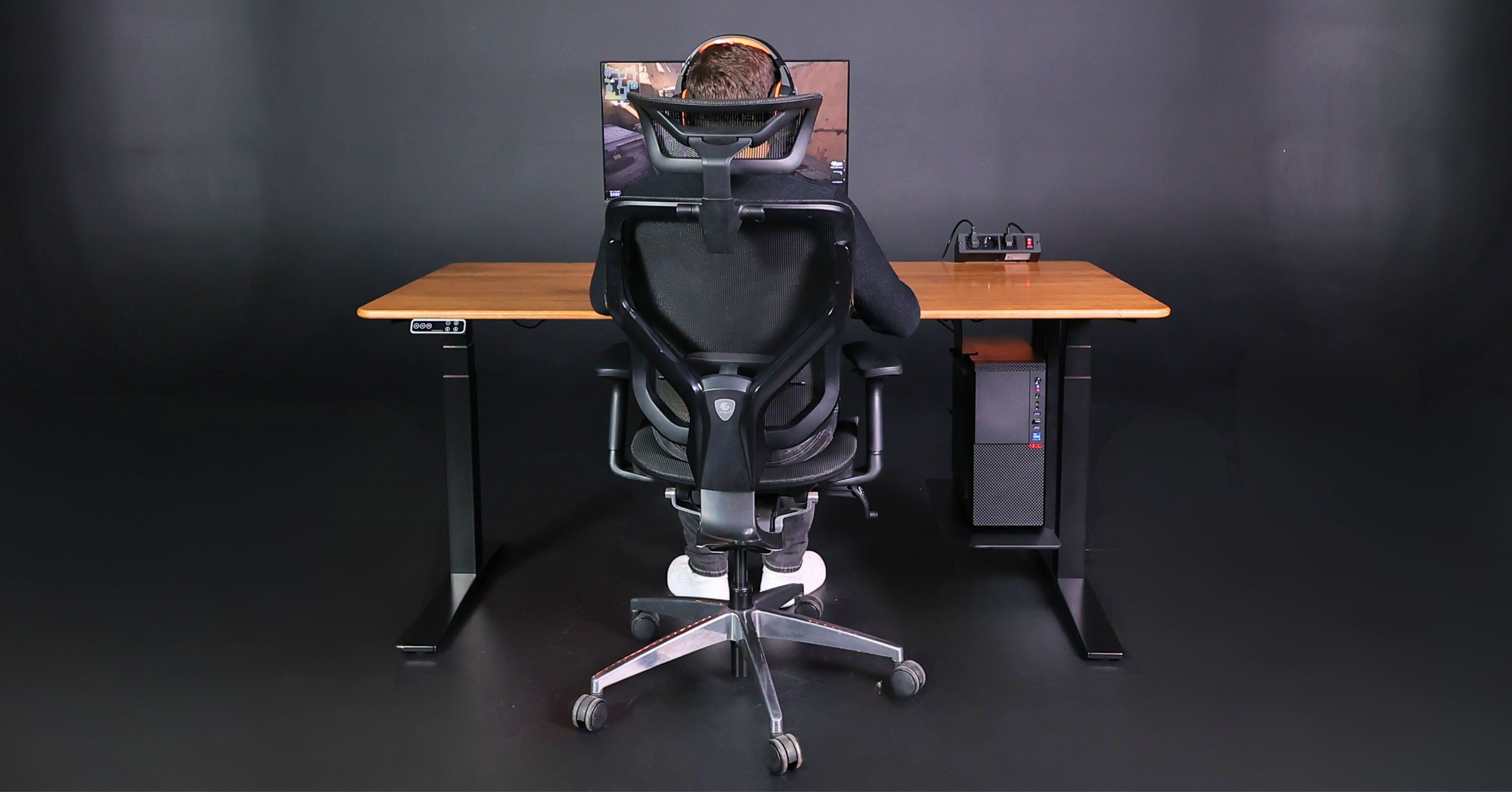
In 2025, the workplace ceased to be just "a surface for a laptop." For an IT specialist, a desk is a system element that affects health, decision-making speed, code quality, concentration, and even career endurance.
Data from the University of Leicester shows that workplace optimization increases productivity by up to 15% within the first three months. And the CDC confirms that reducing static sitting by 1 hour daily reduces back pain by 54%.
In terms of labor economics, this takes on even greater significance.
Why is a quality desk an investment that pays off?
For a specialist earning $25–40/hour, lost productivity due to back pain, eye strain, or neck fatigue averages 20–30 minutes per day.
This amounts to $200–400 in losses monthly.
A quality height-adjustable desk costs $700–1500, so it pays for itself in 2–4 months, after which it brings net profit in the form of:
-
stable concentration,
-
fewer errors in work,
-
better well-being,
-
faster task completion.
Below are the seven most critical mistakes even experienced users make.
1. Choosing a desk with insufficient depth — a cause of eye and neck strain
The comfortable distance to the monitor, according to the American Optometric Association, is 60–70 cm.
A tabletop of 50–55 cm in depth physically does not allow this to be maintained.
What happens when working too close to the screen:
-
eye muscle strain → rapid fatigue,
-
forward head tilt, which increases the load on the cervical vertebrae up to 18 kg ("text neck" effect),
-
reduced blinking frequency → dry and irritated eyes,
-
increased tone of the trapezius muscles.
Harvard Health shows that about 50% of users experience digital eye strain with incorrect monitor distance.
The result is a decrease in cognitive speed of up to 20%.
2. Light frame and weak load capacity — enemies of stability
IT specialists use workplaces where 30–50 kg of equipment easily accumulates on the tabletop.
Research by Stanford Ergonomics Lab proves that micro-vibrations of the desk increase shoulder girdle tension by 25%.
The desk should:
-
withstand 70–120 kg without wobbling,
-
have a solid metal construction,
-
ensure stability at all height settings.
Unstable frame = rapid muscle fatigue + reduced fine motor precision.
3. Lack of electric height adjustment — a critical drawback for 2025 work
Modern research is unequivocal: static sitting for more than 6 hours a day increases the risks of cardiovascular pathologies, lower back pain, and reduced brain neuroplasticity.
BMJ (meta-analysis of 53 studies) shows:
1–2 hours of standing work daily → better blood supply, less fatigue, higher energy levels.
Data from Texas A&M University shows that specialists who change positions 3–5 times a day demonstrate up to 18% more stable focus.
Ideal hourly work regimen
Recommendations from the European Agency for Safety and Health at Work:
-
70% sitting,
-
30% standing,
-
change position every 45–60 min.
A non-electric desk does not allow for smoothly maintaining such a regimen.
4. Ignoring cable management — hidden noise that reduces productivity
MIT found that a chaotic visual space increases cognitive load by 8–12%.
Dangling wires create constant "visual noise" that the brain is forced to filter.
Proper cable management:
-
clears the field of vision,
-
reduces device search time,
-
increases the sense of control over the space,
-
makes the workplace safe when changing desk height.
5. Incorrect monitor placement — a source of chronic pain in 30% of developers
According to Mayo Clinic, the top edge of the screen should be at eye level.
Without a stand, shelf, or mount, the user is forced to:
-
tilt their head,
-
raise their shoulders,
-
engage neck muscles in static tension.
Consequences:
-
headaches,
-
trapezius spasm,
-
fatigue after 1–2 hours of work,
-
reduced mouse movement accuracy.

6. Low-quality materials — savings that turn into health risks
Budget 16 mm chipboard tabletops are not just about lack of durability.
The main problem is formaldehyde resins, which are released into the air for years.
European emission standards:
-
E1: ≤ 0.124 mg/m³
-
E0.5: ≤ 0.062 mg/m³
-
E0: ≤ 0.02 mg/m³
Most cheap tabletops meet E1, which is worse than safety indicators in modern offices.
Edging — an underestimated risk factor
Cheap melamine or thin PVC edging:
-
peels off,
-
creates sharp edges,
-
chafes wrists,
-
increases the risk of tendinitis.
Why are cold materials unsuitable?
Glass, stone, quartz:
-
absorb heat → local reduction in blood circulation,
-
increase the risk of joint inflammation,
-
lack micro-cushioning,
-
increase hand fatigue.
Optimal materials:
-
HPL on plywood — 5 times higher abrasion resistance than chipboard, heat resistance.
-
High-density MDF — smooth surface, better environmental friendliness.
-
Solid wood — warm, natural, durable material.
7. Ignoring the tabletop shape — loss of up to 20% of ergonomic potential
A rectangular tabletop is a classic, but not the most effective solution for PC work.
Disadvantages of a straight edge
-
excessive distance to the keyboard → leaning the body forward,
-
sharp edge creates pinpoint pressure on the wrists,
-
raising shoulders → strain,
-
restricting natural arm position.
Advantages of an ergonomic cutout (anatomical tabletop)
Confirmed by OSHA recommendations:
-
Correct forearm position
90–110° angle, minimal shoulder load. -
Reduced wrist pressure
Rounded edge eliminates pinpoint contact. -
Peripherals closer
Avoids leaning the body forward. -
Greater freedom of movement
Improves mouse manipulation accuracy. -
Comfort for 6–10 hours of work
Hands are not chafed, body takes a natural position.

Conclusion
A desk for PC work is not just a piece of furniture.
It is a tool that directly affects:
-
speed of thought,
-
accuracy of task execution,
-
health of the back, eyes, and joints,
-
stress and fatigue levels,
-
performance over the years.
Investing in a quality workplace pays off not metaphorically, but mathematically — within a few months.
The right desk creates an environment in which an IT specialist can work longer, more productively, and healthier.
to share:
How a sedentary lifestyle kills men's health: potency and testosterone
Height-Adjustable Manicure Table: Ergonomics and Comfort in Your Work